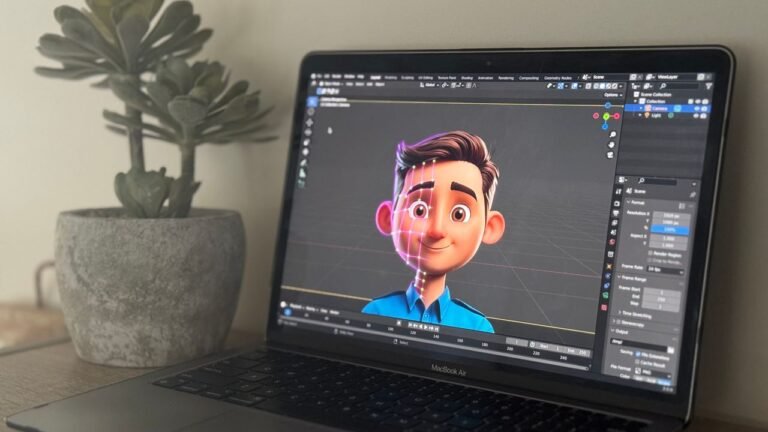
The most popular tools to create animated videos without design skills are Animoto, Biteable and Renderforest. Each one can help you turn your idea into a professional-looking video in minutes, but they all take very different approaches.
Animoto is the storytelling specialist—built around the idea of combining photos, video clips and music into emotional marketing videos. Biteable is the template king with more than 1,700 scenes and 2.4 million stock assets, but its pricing has gotten steep. Renderforest is the most versatile of the three—not just animated videos but logo animations, website builders and mockups all in one platform.
In this comparison, I’ll walk you through what each tool actually delivers, where the limitations really hurt and which one will save you the most time and money.
Quick Verdict: For the most flexible platform with the best customization options, Renderforest is the winner. If you’re a marketer who wants quick storytelling videos with your own photos and clips, Animoto is your tool. If you have a bigger budget and want the biggest template library, Biteable is worth considering—but its pricing might give you pause.
Quick Comparison Table
| Feature | Animoto | Biteable | Renderforest |
| Best Known For | Storytelling with photos/clips | Massive template library | All-in-one creative platform |
| Templates | Hundreds | 1,700+ | Huge library |
| Music Library | Large (auto-syncs to transitions) | Extensive | Fantastic selection |
| Free Tier | Yes (watermark; no downloads) | 7-day trial only | Yes (3-min video, watermark) |
| Starting Price | From $8/month | From $49/month ($588/year) | From $9/month |
| Unique Features | Marketing storyboards, auto music sync | Text-to-video AI, 2.4M stock clips | Logo animations, website builder, 3D videos |
| Customization | Basic flexibility | Limited compared to competitors | Extensive (colors, fonts, animations) |
| Best For | Social media marketing, storytelling | Enterprise teams, big budgets | Branding + video + web presence |
1. Animoto – The Storytelling Specialist for Marketers
Animoto has been around since 2006. Which is ancient in internet years and it shows in the best way. The platform has grown into a solid, professional tool for one particular job: turning your photos and video clips into compelling marketing stories.
What is unique about Animoto? The platform is about telling stories with your own media, not just stock footage. You drag and drop your photos and clips, pick a soundtrack and Animoto automatically syncs your video transitions to the beat of the music. That bit of detail makes your videos look polished and professional, without the need for any manual timing work.
The interface is clean and uncluttered—a deliberate design choice. Compared to Biteable, which some users find overwhelming with features, Animoto feels focused. You’re not wading through a thousand template options or complex animation controls. You pick a storyboard style, add your media and export.
Animoto partners with Facebook, Instagram, YouTube and Twitter, which helps the platform stay up-to-date on social media trends. Animoto has been used by over 1 million businesses to create marketing videos and the company has raised $25M in funding, so it’s not going anywhere.
The catch? Animoto’s editing features are basic. Really basic. If you need character animations, whiteboard explainers, or complex motion graphics, you’ll hit a wall quickly. This tool is for combining existing media into a story—not building animated scenes from scratch. The free version also slaps a watermark on your videos and won’t let you download them.
What’s new for 2026? Animoto’s focus remains on its core market—small businesses and marketers who need fast, professional videos for social media. The platform is stable and reliable, with incremental improvements to its template library.
Official Website: animoto.com
Pros
- Easy to pick up, clean & uncluttered interface
- Auto music sync – transitions on the beat of your soundtrack
- Partnerships with big social platforms (Facebook, Instagram, YouTube)
- Fast campaign vids marketing storyboards
- Drag and drop functionality that works
- 1 million+ businesses have used the platform
Cons
- Too simple for complex animation.
- Free version watermarked and no download
- No character animation. No whiteboard explainers.
- Less flexible customization than competition
- Best for storytelling with existing media, not for making from scratch
Rating
⭐⭐⭐⭐ 4/5
2. Biteable – The Template Giant with a Premium Price Tag
Biteable is the tool you turn to when you need a video yesterday. With over 1,700 templates, 2.4 million stock footage clips and a text-to-video AI tool, Biteable’s asset library is genuinely impressive. Whatever industry you’re in—real estate, education, marketing, internal comms—there’s probably a template for it.
So what makes Biteable different? The sheer amount of content ready to go. You don’t have to be creative. You choose a template, replace the text and images and you’ve got a professional-looking animated video in minutes. The interface is simple and easy to use; the help resources (quick-start guides, product demos) make it simple for first-timers.
Biteable is cloud-based and runs on Windows, Mac and Linux in any modern browser. There are not many hardware requirements; a decent RAM and a standard processor will do. The text-to-video AI feature is a time saver for creators who want to go from script to video fast.
The secret? Pricing is the elephant in the room. Paid plans from Biteable start at $49/month billed annually at $588. That’s considerably more expensive than Animoto at $8/month or Renderforest at $9/month. This is a dealbreaker for many freelancers and small businesses. The free offering is only a 7-day trial, not a usable free tier.
As well, limited customization. Once you start going outside their templates, you’ll have fewer options to fine-tune animations, colors and fonts compared to Renderforest. Biteable is built for speed, not flexibility.
What’s new for 2026? Biteable is still adding to its library of templates and AI features. It’s still a go-to for enterprise teams who need to produce video quickly and on a budget.
Official Website: biteable.com
Pros
- Huge variety – 1,700+ templates
- Includes 2.4 million stock footage clips
- AI text-to-video function
- Good help resources and easy-to-use interface
- Minimal hardware requirements (works in-browser)
- Great for enterprise teams that need speed
Cons
- Costly – From $49/month ($588/year)
- No forever free tier, 7-day free trial only
- Limited options for customization
- Not as flexible for customization as Renderforest
- The price may be too high for freelancers and SMBs
Rating
⭐⭐⭐⭐ 4/5
3. Renderforest – The Versatile All-in-One Creative Platform
Of the three, Renderforest is the Swiss Army knife. It’s more than just an animated video maker—it’s a full-featured creative platform with logo animation tools, website builders and mockup generators. If you’re building a brand from the ground up, Renderforest can handle several parts of that process all in one place.
What is so special about Renderforest? Personalization. Biteable keeps you within templates. Renderforest keeps you in control. Choose your colors, fonts, animations and transitions. Want to get your brand color palette just right? That is what Renderforest makes possible. Looking for a 3D animated logo to go with your explainer video? Renderforest can do both.
The platform also supports 3D video, something neither Animoto nor Biteable can lay claim to. The music library is great, with a good selection of background tracks. The interface is intuitive and allows custom fonts.
For users who don’t need the full platform, the free version lets you create up to 3 minutes of video, though exports include a watermark. Paid plans start at just $9 per month, making Renderforest the most affordable option of the three.
The secret? The free version is limited—watermarked videos, limited features. But, while Renderforest is versatile, it isn’t good at anything. The animated videos look good, but don’t have the large template library of Biteable. The website builder does work, but it’s not Wix or Squarespace. You’re sacrificing depth for breadth.
What’s new in 2026? Renderforest continues to expand its template library and add new creative tools. The platform remains a favorite for freelancers and small businesses who want an affordable all-in-one solution.
Official Website: renderforest.com
Pros
- Most customizable—Choose colors, fonts, animations, transitions
- All-in-one platform – videos, logos, websites, mockups
- Supports 3D video creating
- Fantastic music library
- Incredible value – from $9/month
- Easy-to-use interface
Cons
- The free version has watermarks and limited features
- Jack of all trades, master of none
- The template library isn’t as massive as Biteable’s.
- Some advanced features require higher-tier plans
- Learning curve slightly steeper than Animoto
Rating
⭐⭐⭐⭐ 4/5
Feature-by-Feature Comparison: What Actually Matters for Video Creators
Ease of Use—Who Won’t Make You Want to Quit?
| Criteria | Animoto | Biteable | Renderforest |
| Interface | Clean, uncluttered | Straightforward | Intuitive |
| Learning Curve | Very low | Low | Low to moderate |
| Setup Time | 5 minutes | 5 minutes | 10 minutes |
| Beginner-Friendly | Yes | Yes | Yes |
Winner: Animoto – For absolute beginners, Animoto’s focused interface is the least intimidating. There’s no feature overload—you just add media, pick music and export. Biteable is also straightforward, but the sheer number of templates can feel overwhelming. Renderforest has more controls, which means slightly more complexity.
Customization & Flexibility – Who Gives You Real Control?
| Criteria | Animoto | Biteable | Renderforest |
| Color Customization | Basic | Limited | Extensive |
| Font Options | Basic | Limited | Custom fonts supported |
| Animation Control | Minimal | Limited | Extensive |
| 3D Video Support | No | No | Yes |
| Brand Kit | Yes | Yes | Yes |
Winner: Renderforest – This isn’t close. Renderforest lets you control colors, fonts, animations and transitions in ways the others don’t. If brand consistency matters to you, Renderforest is the only real choice. Biteable is great for speed but locks you into templates. Animoto is better than Biteable for customization but still basic.
Templates & Assets – Who Has the Best Library?
| Criteria | Animoto | Biteable | Renderforest |
| Number of Templates | Hundreds | 1,700+ | Huge |
| Stock Footage | Limited | 2.4 million clips | Good selection |
| Music Library | Large (auto-sync) | Extensive | Fantastic |
| Scene Variety | Marketing-focused | Broad (all industries) | Broad |
Winner: Biteable – The numbers speak for themselves. 1,700+ templates and 2.4 million stock clips give Biteable the deepest library. Animoto’s music sync feature is clever, but its asset library can’t compete. Renderforest has solid assets, but Biteable’s sheer volume is unmatched.
Value for Money – Where Does Your Budget Go?
| Plan | Animoto | Biteable | Renderforest |
| Free Tier | Watermark, no downloads | 7-day trial only | 3 min video, watermark |
| Entry Paid | $8/month | $49/month | $9/month |
| Annual Commitment | ~$96/year | $588/year | ~$108/year |
| Best For | Budget-conscious marketers | Enterprise teams | Freelancers & small businesses |
Winner: Renderforest – At $9/month, Renderforest is the most affordable entry point. Animoto’s $8/month is similarly priced but offers fewer features. Biteable’s $49/month is in a different league—worth it only if you have the budget and need the massive template library.
Unique Capabilities – What Sets Each Apart?
| Unique Feature | Animoto | Biteable | Renderforest |
| Auto Music Sync | Yes | No | No |
| Text-to-Video AI | No | Yes | No |
| 3D Videos | No | No | Yes |
| Logo Animation | No | No | Yes |
| Website Builder | No | No | Yes |
| Marketing Storyboards | Yes | No | No |
Winner: Tie – Each tool has its own superpower. Animoto’s auto music sync makes storytelling effortless. Biteable’s text-to-video AI speeds up creation. Renderforest’s 3D videos and logo animations add production value. Your choice depends on which feature you need most.
Which Tool Is Best for Different Use Cases?
Choose Animoto if:
- You are a marketer making social media videos from your own photos and clips
- You want the simplest, most focused interface possible
- Auto music sync is a feature you’ll actually use
- Budget conscious ($8/month fits your wallet)
- You don’t need moving characters or complex motion graphics
- You want storytelling videos, not explainer animations
Choose Biteable if:
- You have the budget for premium pricing ($49+/month)
- You need the largest possible library of templates and stock assets
- You’re in a large enterprise or agency with dedicated video budget
- Speed is more important than customization
- You want text-to-video AI to speed up production
- Your team needs a tool that “just works” without training
Choose Renderforest if:
- You want the most customization options (colors, fonts, animations)
- You need more than just videos—logos, websites, mockups too
- 3D videos or animated logos are on your wishlist
- You’re a freelancer or small business on a budget ($9/month)
- Brand consistency across multiple assets matters to you
- You’re willing to trade some template volume for flexibility
Final Verdict
| Category | Winner |
| Best Overall | Renderforest |
| Best Value for Money | Renderforest |
| Best Free Tier | Renderforest (3 min. videos) |
| Best for Beginners | Animoto |
| Best Template Library | Biteable |
| Best Customization | Renderforest |
| Best for Marketing | Animoto |
| Best All-in-One Platform | Renderforest |
| Best for Enterprise | Biteable (if budget allows) |
Here’s the honest truth: There’s no wrong answer here—but there is a right answer for your specific situation.
If you’re a marketer on a budget creating social media videos, Animoto is a solid choice for $8/month. The clean interface and music sync are really helpful and you can get up and running in minutes. Just know you’re limited to simple storytelling, no character animations or complex explainers.
If you need the most flexible platform with the best value, Renderforest is the winner. At $9/month, you get customization that neither competitor can match, plus 3D videos, logo animations and even a website builder. It’s the best bang for your buck.
If you have an enterprise budget and need the biggest library of templates, then Biteable delivers. With over 1,700 templates and over 2.4 million stock clips, you’ll always find something that works. But when it’s $49/month, ask yourself if you really need that many options. Most freelancers and small businesses don’t.
My personal recommendation for most creators in 2026 is: Begin with Renderforest free tier. See if the customization options matter to you. If they do go up, move up to the $9/month plan. If you need more templates than Renderforest has, then Biteable is worth considering – but only if you can afford it. For 90% of users, Renderforest finds the right combination of price, features and flexibility.
Frequently Asked Questions (FAQ)
Which animated video maker is cheapest?
The second cheapest paid option is Animoto at $8/month. The cheapest paid option is Renderforest at $9/month. Biteable’s starting price of $49/month is far more expensive. Free tiers with Renderforest offer 3 minutes of video with a watermark, while Animoto’s free version has watermarks and no downloads. Biteable offers only a 7-day free trial, not a free version.
Can I use these tools for professional client work?
Yes, all three can create professional-quality videos that are suitable for client work. But output quality is all over the map. Renderforest has the most customization to keep your brand consistent. Biteable templates look professional but can feel cookie-cutter if you don’t customize enough. Animoto videos are good for storytelling but not for animated explainers. For serious client work, Renderforest’s 3D capabilities and brand controls give it an advantage.
Which tool is best for creating explainer videos?
None of these three are great for traditional explainer videos with animated characters—for that you’d want Vyond or Animaker. 3. Renderforest offers the most flexibility of the three for making animated scenes. “Animoto is not meant for explainers whatsoever. Biteable provides explainer templates but limited customization. If your main need is explainer videos, check out Vyond (starting at $58/month).
Do these tools offer white-label or watermark-free exports?
Yes, all paid plans remove the watermarks. The free version of Animoto has watermarks and doesn’t let you download. Renderforest’s free version comes with watermarks. Biteable’s 7-day trial probably has watermarks (standard for trials). When you pay for any of these tools, watermark-free exports are the norm.
Which tool has the best music library?
User reviews say that Renderforest has a “fantastic choice of background music.” Animoto has a large library of music that auto-syncs to video transitions. Biteable has a massive collection of assets, including a large music library. All three are good, but Animoto’s auto-sync feature gives it a unique advantage when it comes to storytelling videos.