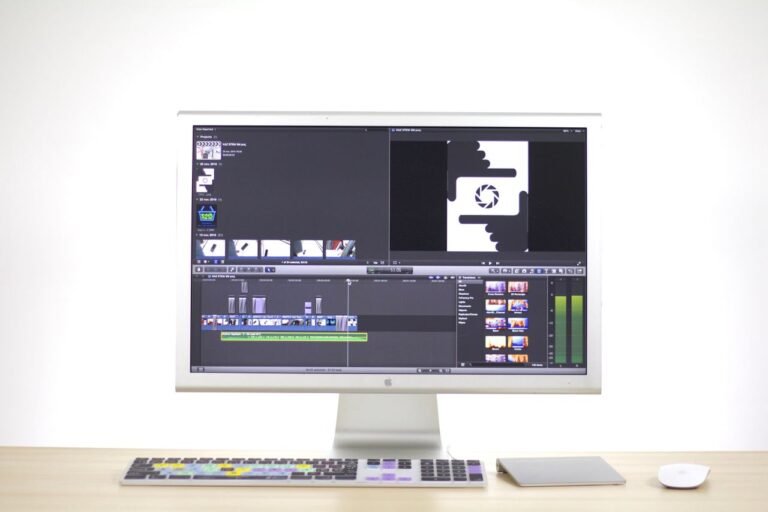
You’ve got some footage that needs to be turned into something great. It could be a wedding video, a YouTube video, a corporate promo, or even a short film. The question is, what software actually gets you there without wanting to hurl your computer out the window?
Premiere Pro, DaVinci Resolve and Final Cut Pro are the three heavyweights in professional video editing. But they’re not interchangeable. Each has a completely different philosophy, pricing model and set of strengths.
Premiere Pro is the industry standard, with the biggest ecosystem and collaboration tools. DaVinci Resolve has Hollywood-grade color grading for free (yes, free). Final Cut Pro is the Mac-only speed demon, available for a single price.
Choosing the right one is not only about features but also about your workflow, your hardware, your budget and whether you plan to collaborate with other editors at any point.
TL;DR: Premiere Pro is the industry standard if you work with other people or use Adobe’s ecosystem. DaVinci Resolve is best for color grading and best value. Final Cut Pro is the best choice for a solo Mac editor who needs top speed and a one-time purchase.
Quick Comparison Table
| Feature | Premiere Pro | DaVinci Resolve | Final Cut Pro |
| Pricing | $22.99/month subscription | Free / $295 one-time (Studio) | $299.99 one-time |
| Platform | Windows, macOS | Windows, macOS, Linux | macOS only |
| Best For | Collaboration & industry standard | Color grading & free editing | Mac speed & one-time purchase |
| Color Grading | Good (Lumetri Color) | Industry-leading | Good |
| Audio Tools | Good (Audition integration) | Excellent (Fairlight built-in) | Limited (no track mixer) |
| AI Features | Generative Extend, auto-captioning | DaVinci Neural Engine | Magnetic Mask, Transcript Search |
| Collaboration | Frame.io integration | Real-time local/remote | Limited |
| Outsourcing Fit | Industry standard | Growing but less common | Harder to outsource |
| Free Version | 7-day trial | Full-featured free version | 90-day trial |
| PCMag Score | 4.5/5 | 4.0/5 | 4.0/5 |
1. Adobe Premiere Pro – The Industry Standard Collaborator
Premiere Pro is the world’s most advanced professional video editing software. Used by filmmakers, TV editors, YouTubers and content creators around the world. It is part of Adobe Creative Cloud, so it works well with After Effects, Photoshop, Lightroom and Frame. io.
The interface is customizable and the import and export workflows are intuitive. The software is able to use graphics hardware acceleration for solid performance. The recent updates added AI-powered features, including Generative Extend (AI-powered clip lengthening) and Media Intelligence (identifies clip contents for easy searching). Edit videos by editing the captions with auto-transcription and text-based editing features.
But the subscription model is the elephant in the room. At $22.99/month, you’re paying $275/year, which adds up to over $1,300 over five years. The learning curve is steep and performance on large projects can lag behind Final Cut Pro on Mac.
Official Website: adobe.com/products/premiere
Pros
- Industry standard with the biggest pool of editors
- – tight integration with After Effects, Photoshop and Frame.io
- Generative and other AI tools Extend and auto-captioning.
- Best-in-Class Collaboration Tools
- Support for unlimited multicam angles
Cons
- Subscription pricing adds up over time
- Performance on Mac lags behind Final Cut Pro
- Steep learning curve for beginners
- Requires powerful hardware
Rating
⭐⭐⭐⭐ 4.5/5 (PCMag)
Feedback: See what users say on G2 and Trustpilot
2. DaVinci Resolve – The Free Color Grading Powerhouse
DaVinci Resolve is the industry leader in color correction and grading and has been used on Hollywood films, including Dune, Jurassic World Dominion and Top Gun: Maverick. But it has become a full-fledged editing suite that can compete with Premiere and Final Cut in every regard.”
What makes Resolve different is the free version. It is jam-packed with pro editing, top-of-the-line color grading, Fairlight audio postproduction and Fusion visual effects—all without watermarks and with no export restrictions up to 4K resolution. The paid Studio version ($295 one-time) adds features like noise reduction, Super Scale and the Neural Engine, powered by advanced AI.
On the audio side, Resolve’s Fairlight page is built like a pro DAW. You get track-based mixing, VCA groups, submixes, inserts, per-track dynamics and EQ and even native support for Dolby Atmos. The free version has better audio tools than Final Cut Pro already.
But there’s a snag. It’s not the easiest app to get a handle on; the learning curve is steep. The interface is dense and the node-based workflow takes some getting used to. The free version is also missing some AI features (such as Magic Mask and Super Scale) that are included in the Studio version.
Official Website: blackmagicdesign.com/products/davinciresolve
Pros
- Full-featured free version with 4K export
- Color grading tools that lead the industry
- Professional quality Fairlight audio is included
- Cross-platform (Windows, Mac, Linux)
- One-off payment for the Studio version.
Cons
- Steep learning curve
- Smaller plugin ecosystem than Premiere
- Harder to outsource – fewer editors specialize in Resolve
- Free version lacks some AI features
Rating
⭐⭐⭐⭐ 4.0/5 (PCMag)
Feedback: Read user reviews on G2 and Trustpilot
3. Final Cut Pro – The Mac Speed Demon
Final Cut Pro is Apple’s pro video editor and it’s made for one user: Mac users who want speed. Much faster than Premiere or Resolve on Apple Silicon (M-series chips) for many tasks.
The magnetic timeline is different, but once you get used to it, it’s genius. Clips automatically snap together and you can slide them around without track heads getting in the way. Features such as Auditions, Compound Clips, Roles and Smart Collections make complex workflows easier. AI tools include Magnetic Mask (rotoscoping), Scene Removal Mask and Transcript Search.
But Final Cut Pro has some serious shortcomings. There is no audio mixer—you set the level for one clip at a time. No bus or submix routing No track-based automation Limited plugin support If you want anything beyond basic audio, you’ll have to finish your audio somewhere else. And it’s Mac-only—it can’t work with Windows editors or outsource easily.
The pricing is hit and miss. $299.99 one-time is good for a perpetual license, but you will have to pay another $49.99 each for Motion (motion graphics) and Compressor (encoding). The new Creator Studio subscription, priced at $12.99 per month or $129 per year, includes Final Cut Pro, Logic Pro and Pixelmator Pro.
Official Website: apple.com/final-cut-pro
Pros
- Fastest performance on Apple Silicon
- Magnetic, trackless timeline
- One-time purchase option
- Excellent media organization tools
- Supports 8K, 360° VR and wide color spaces
Cons
- Mac-only – no Windows or Linux support
- No audio mixer or track-based automation
- Limited third-party plugin ecosystem
- Hard to outsource – few editors specialize in FCP
- Motion and Compressor cost extra
Rating
⭐⭐⭐⭐ 4.0/5 (PCMag)
Feedback: Check out user reviews on G2 and Trustpilot
Feature-by-Feature Comparison: Who Actually Does It Better?
User Interface & Ease of Use
| Criteria | Premiere Pro | DaVinci Resolve | Final Cut Pro |
| Interface | Standard timeline, customizable | Page-based workflow | Magnetic timeline |
| Learning Curve | Steep | Steepest | Moderate |
| Beginner Friendly | Moderate | Low | Moderate |
| Mac Experience | Good | Excellent | Best-in-class |
Winner: Final Cut Pro – The magnetic timeline is intuitive once you adapt and the interface is visually uncluttered. Premiere Pro is solid but complex. DaVinci Resolve has the steepest learning curve.
Features & Functionality
Core editing: All three cover cutting, trimming, transitions and effects Premiere Pro has the most comprehensive toolset. Final Cut Pro has the most revolutionary timeline. DaVinci Resolve is a complete editing, color, audio and VFX suite.
Color grading industry-leading DaVinci Resolve – the standard for Hollywood color correction. Lumetri Color in Premiere Pro is good. Color tools in Final Cut Pro are good but not Resolve level.
Audio tools: DaVinci Resolve wins with Fairlight built-in—full mixer, bus routing, per-track EQ and dynamics and immersive audio support. Premiere Pro is good with Audition integration. Final Cut Pro has no track mixer, no bus routing and no track-based automation—it’s years behind.
AI features: Premiere Pro introduces Generative Extend and Media Intelligence. Magnetic Mask, Transcript Search and Beat Detection, Final Cut Pro. DaVinci Resolve’s Neural Engine comes with AI tools, but some are only available in the Studio version.
Winner: DaVinci Resolve – The all-in-one approach (editing, color, audio and VFX) plus the free version makes it unbeatable for value and capability.
Pricing Comparison – What You Actually Pay
| Plan | Premiere Pro | DaVinci Resolve | Final Cut Pro |
| Free | 7-day trial | Full-featured free version | 90-day trial |
| One-Time Purchase | Not available | $295 (Studio) | $299.99 |
| Subscription | $22.99/month | Not available | $12.99/month (Creator Studio) |
| 5-Year Cost | ~$1,375 | $0 (free) / $295 (Studio) | $299.99 |
Winner: DaVinci Resolve—The free version is genuinely usable for professional work and the Studio version costs less than one year of Premiere Pro. The cost difference over five years is significant.
Performance & Speed
| Criteria | Premiere Pro | DaVinci Resolve | Final Cut Pro |
| Mac Apple Silicon | Good | Very good | Best-in-class |
| Windows | Best | Excellent | N/A |
| Multicam Streams | ~25 streams (4K ProRes) | ~25+ streams (4K) | Up to 40 streams (4K ProRes) |
| ProRes Export Speed | Fastest in some tests | Fastest in ProRes tests | Very close to Resolve |
Winner: Final Cut Pro – On Apple Silicon, it’s the most efficient multicam editor and supports the most streams. DaVinci Resolve edges out both on some export tests.
Collaboration & Outsourcing
| Criteria | Premiere Pro | DaVinci Resolve | Final Cut Pro |
| Real-time collaboration | Frame.io integration | Multi-user | Limited |
| Outsource fit | Industry standard | Growing but limited | Limited |
| Editor pool | Largest | Growing | Smaller, Mac-only |
Winner: Premiere Pro—If you ever plan to hire help or outsource, Premiere is the path of least resistance. Most outsource shops and editors use Premiere.
Security & System Requirements
All three are real, established software by big companies. Final Cut Pro requires macOS 15.6 or later and a Metal-capable GPU—it won’t work on older Macs. Premiere Pro and DaVinci Resolve are on Windows and Mac. DaVinci Resolve also works on Linux.
Winner: DaVinci Resolve – Cross-platform support and no subscription commitment give it the most flexibility.
Which Tool Is Best for Different Use Cases?
Choose Premiere Pro if:
- You are working with other editors or intend to outsource
- You use other Adobe tools (After Effects, Photoshop, Lightroom)
- You want the largest plugin and template ecosystem
- Cross-platform compatibility (Windows + Mac). Important.
- You want industry-standard experience for career growth
Choose DaVinci Resolve if:
- Color grading is your priority
- You want a genuinely usable free version
- You need professional audio tools (Fairlight) built in
- You want cross-platform (Windows, Mac, Linux)
- You want to avoid subscription pricing
Choose Final Cut Pro if:
- You’re on a Mac and never intend to switch
- You want the fastest performance on Apple Silicon
- You like the magnetic, traceless timeline
- You want to purchase once instead of subscription
- You work alone and don’t have to collaborate or outsource
Final Verdict
| Category | Winner |
| Best Overall | DaVinci Resolve |
| Best for Collaboration | Premiere Pro |
| Best for Color Grading | DaVinci Resolve |
| Best for Audio | DaVinci Resolve |
| Best for Mac Speed | Final Cut Pro |
| Best Free Version | DaVinci Resolve |
| Best for Outsourcing | Premiere Pro |
| Best Value for Money | DaVinci Resolve |
Here’s the honest breakdown:
DaVinci Resolve is the best value overall. The free version is seriously professional grade, the color grading is industry leading, Fairlight audio is built-in and you get all that without a subscription. It’s a steep learning curve, but the payoffs are huge. If you’re willing to spend the time to learn it, Resolve offers features that compete with—and in some cases exceed—paid competitors.
Premiere Pro is the way to go for collaboration or outsourcing. It’s the industry standard, the editor pool is the largest and the Adobe ecosystem is unparalleled. But you pay for that convenience – the subscription model is expensive in the long run. Worth it for working pros who need compatibility with studios and clients.
Final Cut Pro targets solo Mac editors who want speed and a single purchase. It is the fastest editor in this comparison on Apple Silicon. The magnetic timeline is a new way to do highlight style editing and it’s faster. But the Mac-only limitation, lack of pro audio tools and outsourcing challenges make it a niche choice.
Personally? If you’re starting out, download DaVinci Resolve for free and invest the time to learn it. If you need to collaborate or work with studios, Premiere Pro is the standard. If you’re a solo Mac editor who values speed and simplicity, Final Cut Pro is worth the one-time investment.
Frequently Asked Questions (FAQ)
Is DaVinci Resolve really free for professional use?
“Yes. DaVinci Resolve Free features professional editing, industry-standard color grading, Fairlight audio post-production and Fusion visual effects all without watermarks or export limitations up to 4K. Many full-time videographers and some studios use it. The paid Studio version ($295 one-time) has advanced AI features, noise reduction and support for higher resolutions.
Which software is best for color grading?
DaVinci Resolve is the industry leader for color correction and grading. It’s been used on Hollywood films like Dune, Jurassic World Dominion and Top Gun: Maverick. The advanced color wheels, HDR grading, node-based workflows, tracking tools and professional scopes make it the go-to for professional colorists. Premiere Pro’s Lumetri Color is good but not Resolve-level. Final Cut Pro has decent color tools but lacks the depth.
Is Final Cut Pro better than Premiere Pro on Mac?
Final Cut Pro is significantly faster than Premiere Pro for many tasks on Apple Silicon Macs—it can support more multicam streams and is more efficient with system resources. However, Premiere Pro has superior collaboration features, a wider plugin ecosystem and is the industry standard for outsourcing. If you are working solo and want speed, Final Cut Pro wins. Premiere Pro is the way to go if you work with other people or hire help.
Which option is best for beginners?
If you’re already a Mac user, Final Cut Pro has the most beginner-friendly interface. The magnetic timeline is intuitive once you get used to it. DaVinci Resolve is the most difficult to learn. Premiere Pro sits somewhere in the middle – the interface is familiar but complex. However, the free price tag of DaVinci Resolve makes it the most accessible to beginners willing to learn.